Dynamic Instagram via third-party API Intergration
Applies to
Verified on Carousel 7.0.x
Untested on Carousel versions 6.2.0 to 6.6.x
Answer
Carousel doesn't natively support displaying Instagram content. To use Instragram on Carousel, you need to translate your Instagram feeds into a compatible XML / RSS Feed for Carousel to recognize and use. This can be done by using a third-party web application.
Its up to you, the end-user, to find a service to use. In this example, we will be using a service called WEBSTAGRAM (https://web.stagram.com/). (By using these third-party services, you agree to their TOS / AUP and Instagrams API Terms and Conditions).
Navigate to https://web.stagram.com/. On this page, we're going to enter the Instagram Username or Tag you want to use in Carousel, and search. In this example, we're going to use "tightropemediasystems".
Once you find and navigate to the user / tag you want to use, scroll to the bottom of the page and click on "RSS". We now have a URL that looks something like this https://web.stagram.com/rss/n/tightropemediasystems.
In Carousel, Create a New Bulletin > Dynamic > RSS. Enter your generated RSS feed URL into "Feed URL".
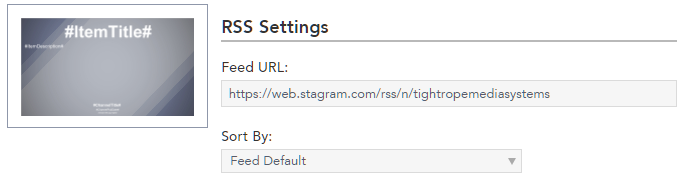
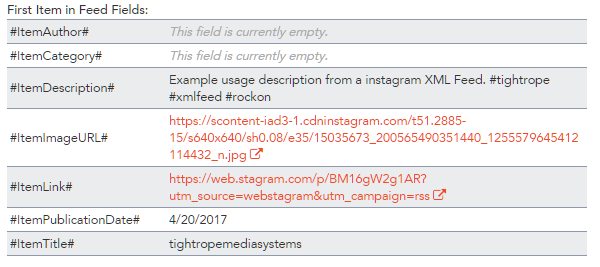
Adjust additional prameters to your liking (Item Limit, Character Limit, etc). On the new section "Content", you can click on "Dynamic Fields List" to see what dynamic feed items you can pull into your layout. For example, to show the image, you can use #ItemImageURL#.
Publish your RSS Bulletin and you're set!
Additional Information
Whatever Instagram Third-party service you use, Its important to make sure you are aware of their Acceptable Use Policy and/or other terms before using on your public facing digital signage. Tightrope Media Systems is not responsible for misuse of Instagram integration in Carousel.
How do I adjust how often Dynamic Bulletins are rendered?