Understanding WCAG 1.4.5 AA Images with Text Requirement When Using Thumbnails With Your Programs
While Cablecast will generate a handful of thumbnail options from video files that are linked to Show Records, there may be a case where you want to create a custom thumbnail to use instead. For example, live events don't have a video file associated with them, so a thumbnail can't be autogenerated for that Show. You may opt to create a thumbnail for the event so that if a viewer is looking at it on the Internet Channel, they'll see a relevant image.
There is a field within Cablecast for alt text, located beneath the thumbnail image in every Show Record.
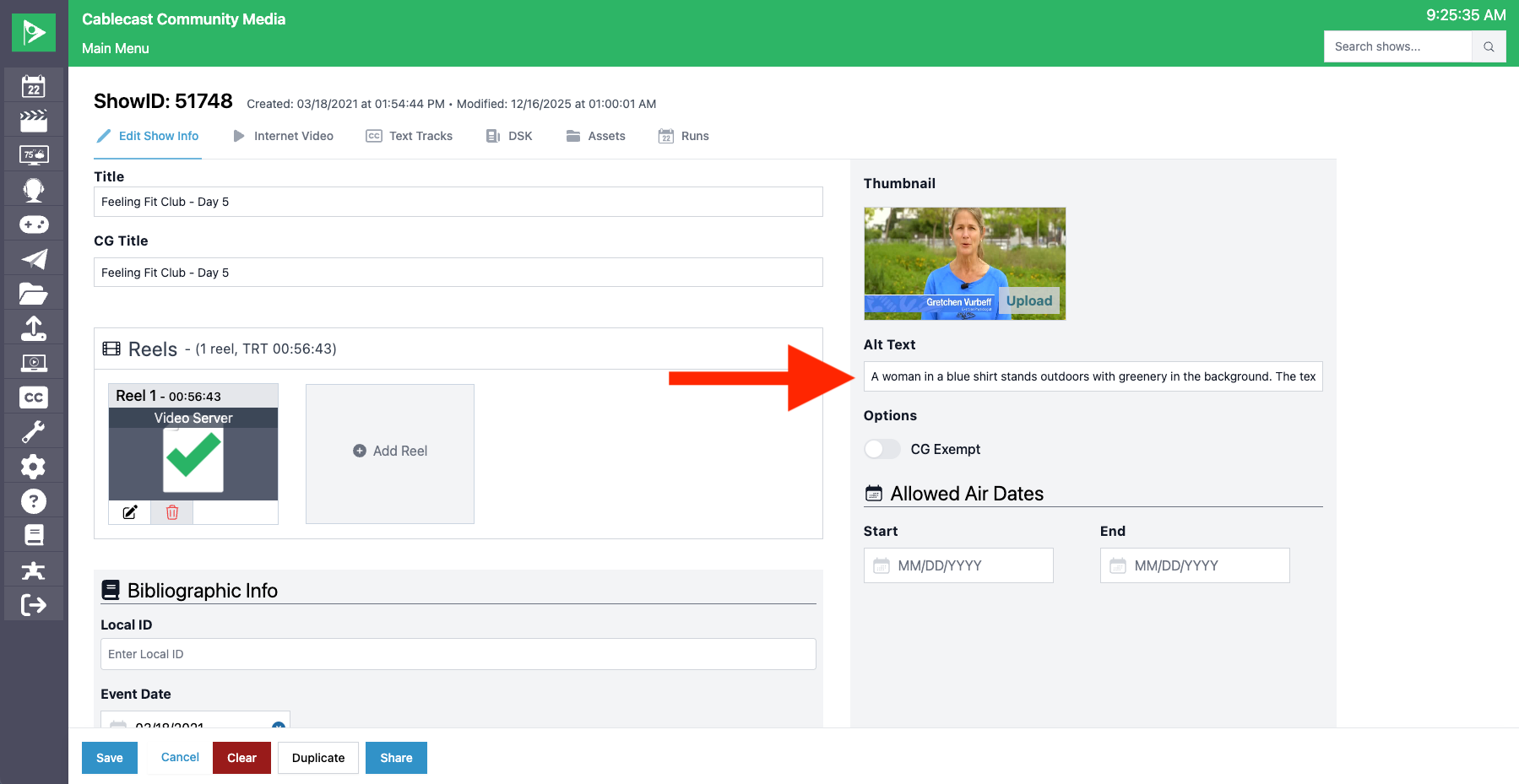
It's important to note the difference between alt text and title text. Alt text is embedded with the image and is used for screen readers to announce the text. Title text is a tooltip that appears only when you hover over the image and is not read by screen readers. Cablecast uses alt text within Show Records.
When creating thumbnails, it's important to consider making sure your images are WCAG 1.4.5 AA/AAA compliant. As a general rule, WCAG says that, whenever possible, you should use real text instead of putting important words inside an image. Real text can be resized, read by assistive tools (such as screen readers), and adjusted for individuals who require larger fonts or alternative colors. Images that show text don't allow users to make those adjustments.
There are only two special cases where using text in an image is okay. The first is when the text is "essential" — meaning the visual presentation of the text itself is part of the image, such as a logo or brand text. The second is when the image can be customized to let the user adjust the size, colors, etc.
If you must use an image with text, be sure to provide good alt text so screen readers still get the message. Per WCAG, a good example of this would be the following scenario:
A user has to upload an event poster image, which includes text, to their website's events calendar. The site's CMS (content management system) is limited, and won't allow them to create a custom HTML/CSS/SVG recreation of the poster. However, in addition to the image, they can add regular text to the calendar entry, so they post both the poster and the text contained in the image. This text is shown next to the poster image on the site's calendar page.
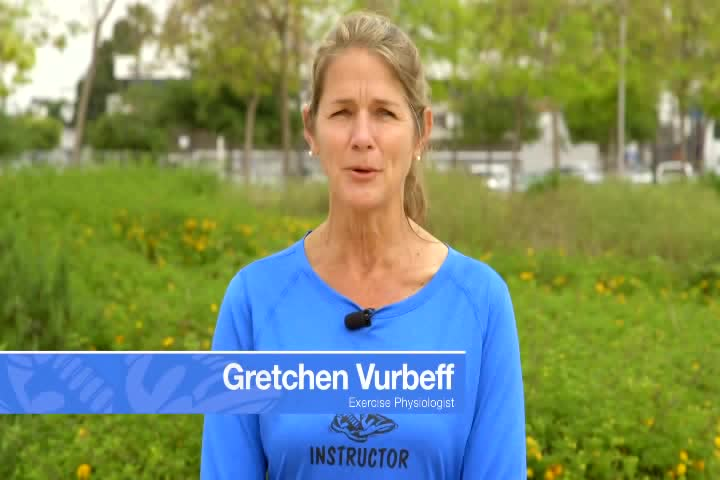
In a situation like the one above, utilizing the alt text field below the thumbnail on the Cablecast Show Record pages becomes critical to ensure that the image is properly described. For example, the thumbnail below for Feeling Fit Club - Day 5 might have alt text of A woman in a blue shirt stands outdoors with greenery in the background. The text on screen identifies her as Gretchen Vurbeff, Exercise Physiologist.
More on WCAG 1.4.5 here.
If you'd like to learn more about using alt text within your organization's third-party website, the Accessibility section of this article from Mozilla Developer Network (MDN) is a great resource.
