Schedule Daily SQL Database Backup Cleanup
Download batch file from here - https://trms.box.com/s/kysfxebpzqs71tyfzqdies1adg0zylyo This batch file can be edited to increase or decrease the amount of time we wait for files to be cleared. Open the file in a text editor and update the value after -d and information log message

Open 'Task Scheduler' via the Windows start menu
Click 'Action' from the menu bar and select 'Create Task...'
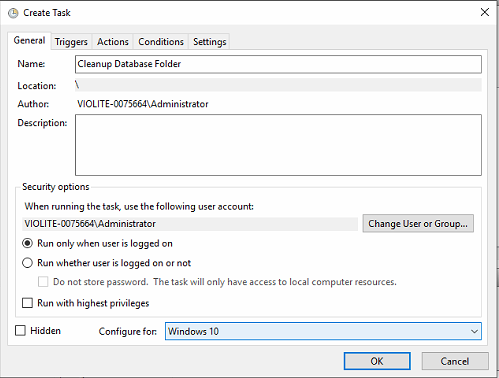
On the General Tab, name the action Cleanup Database Folder or something that makes sense. Configure for the appropriate server dropdown at the bottom
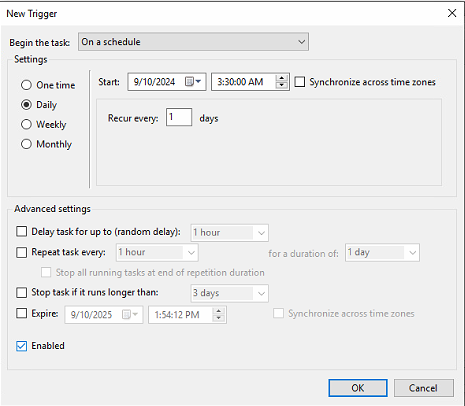
On the Triggers Tab, select New and configure a daily schedule to run shortly after housekeeping ideally.
On the Actions Tab, select new and browse Windows Explorer for the .bat file downloaded in Step 1 and select OK. It will clear the folder once the file runs of files older than 7 days.
