.NET 3.5 does not install during Carousel installation
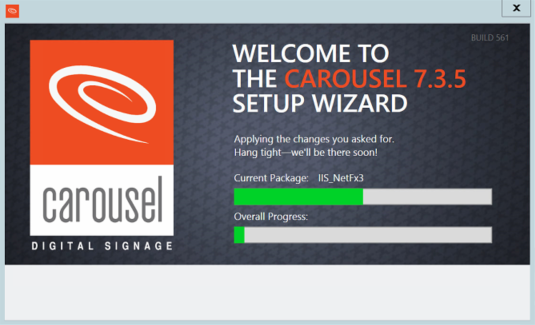
Issue: The Carousel installer fails to proceed past enabling IIS_NetFx3
Cause: The server does not have the files needed to enable .NET 3.5. This is not something Carousel installs but rather enables.
This issue will manifest in two ways. Either the installer will hang (waits more than 1 minute) at “Current Package: IIS_NetFx3” or it will outright fail and provide “Error: IIS-NetFx3.”

Resolution:
First cancel or close the Carousel installer if it is still running, then download the specific SXS .zip archive depending on the operating system.
Server 2012 R2: https://trms.box.com/shared/static/xnxt9g0q9yw9d0adfimts5hv6exg31c9.zip
Server 2016: https://trms.box.com/shared/static/wa20wfr01ds9vu7qev9sji3f8bfihkmq.zip
Extract the archive, you’ll come back to it later.
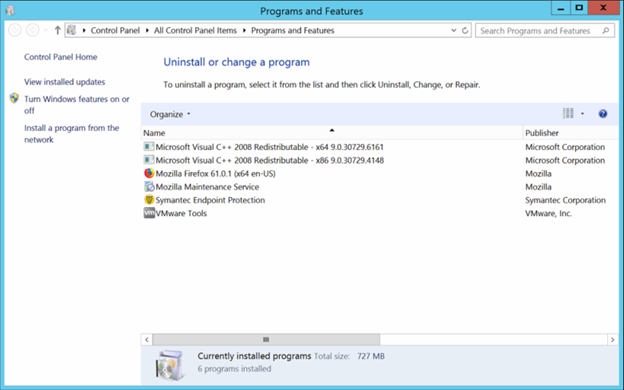
Open Programs and Features and select “Turn Windows features on or off” on the upper-left side of the screen. Server Management will open and, after a few seconds, the “Add Roles and Features Wizard” will also open.
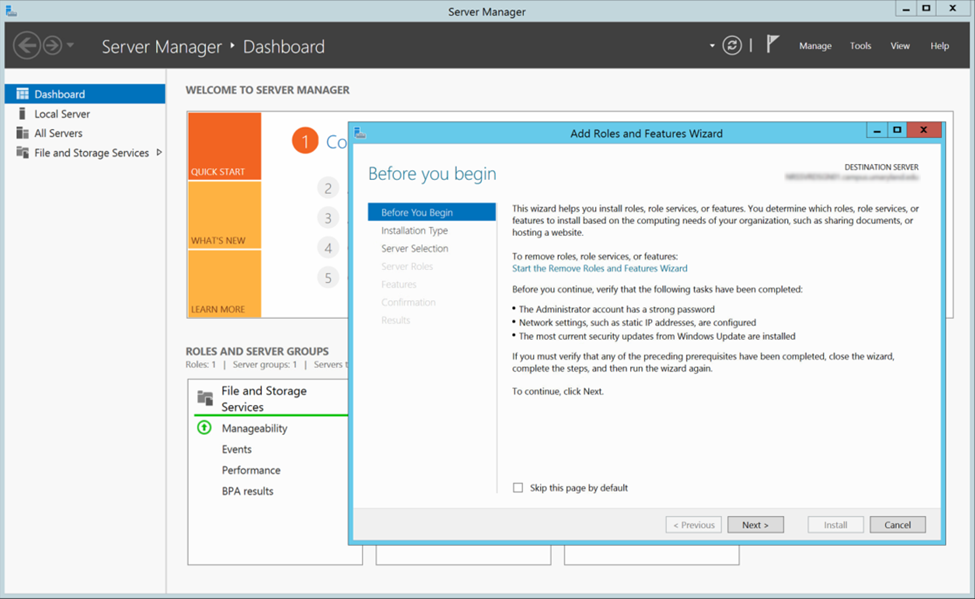
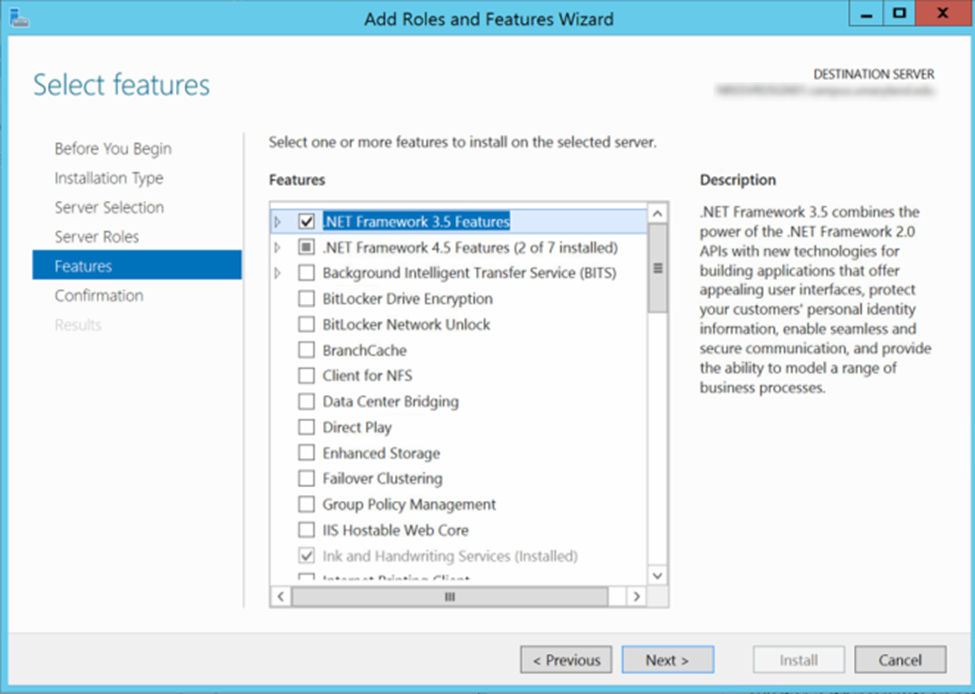
Continue to press “Next” until you reach the Features section. Then check the box next to “.NET Framework 3.5 Features” and press next again.
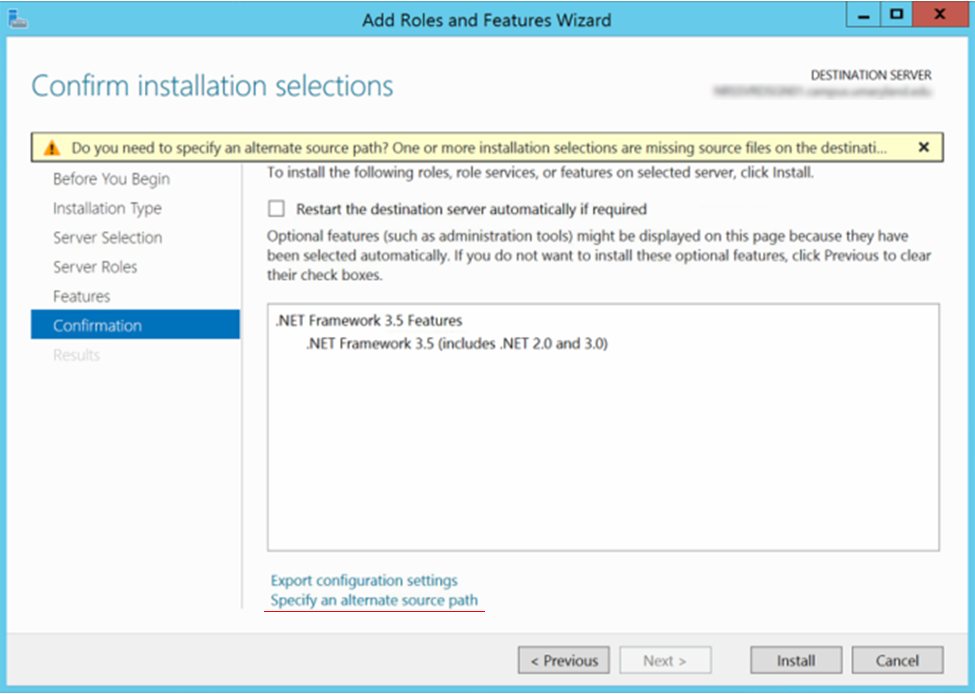
When you get to the Confirmation section there will be a warning at the top that the installation source files cannot be found, this is the also the cause of the Carousel installer failing. On the bottom on the Confirmation window select “Specify an alternate source path”.
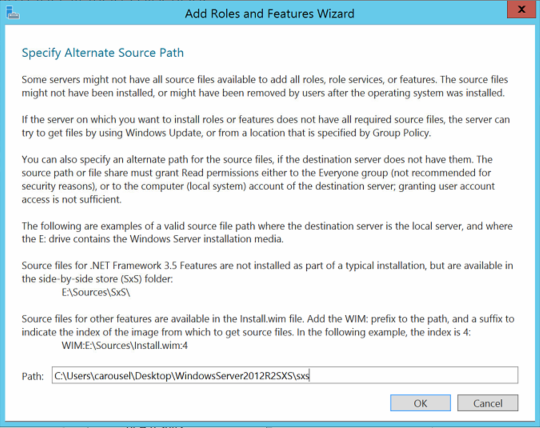
A new window will pop up, input the path to the SXS folder found inside our extracted .zip archive from before. Press OK then press install on the Confirmation page.
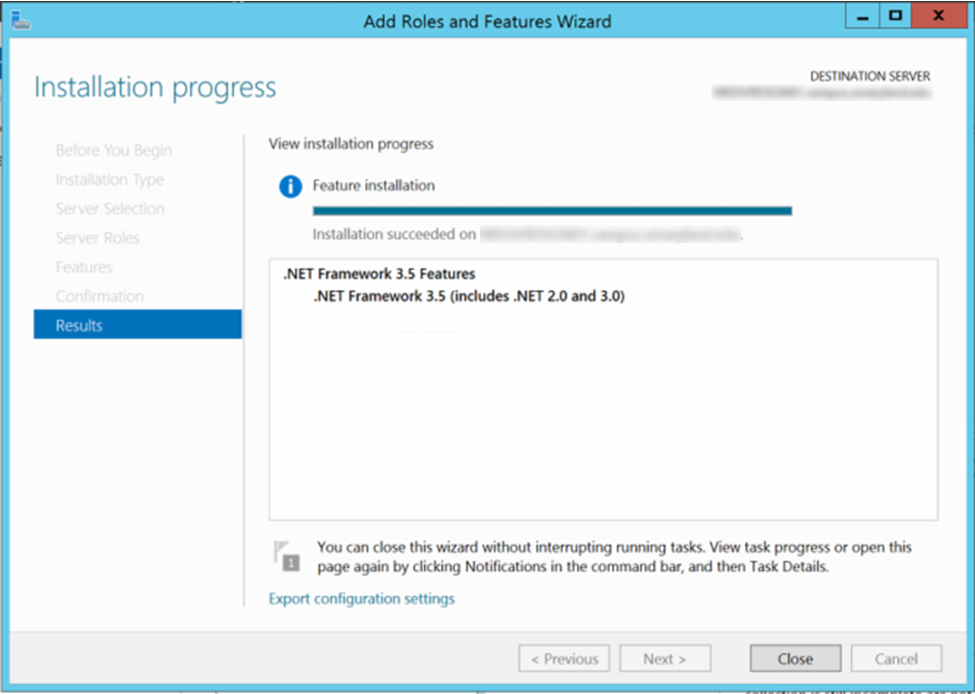
The feature will start to install, do not press close until the installation is finished. Below the progress bar the light-gray text “Installation Succeeded” when it’s ok to close the wizard.
Next, re-run the Carousel installer and it should proceed past the IIS_NetFx3 without error and the installation procedure can continue.