Connecting a MacOS Version <10.6 Client to a SX Video Server Running Windows 7
Summary:
Sometimes when using an older Mac OS client running MacOS 10.6 and earlier , the SX server will not be able to authenticate and will be unable to connect. In order to have your Windows 7 based SX server to authenticate to earlier version of MacOS you must modify the registry key in two locations.
Answer:
From the Windows desktop on your SX Server:
1. Click on the start menu
2. Search for “REGEDIT” and open
3. A window will pop up asking if you would like this program to make changes to this computer, click “yes”
4. Under “Computer” select the folder HKEY_LOCAL_MACHINE and change the following registry keys:
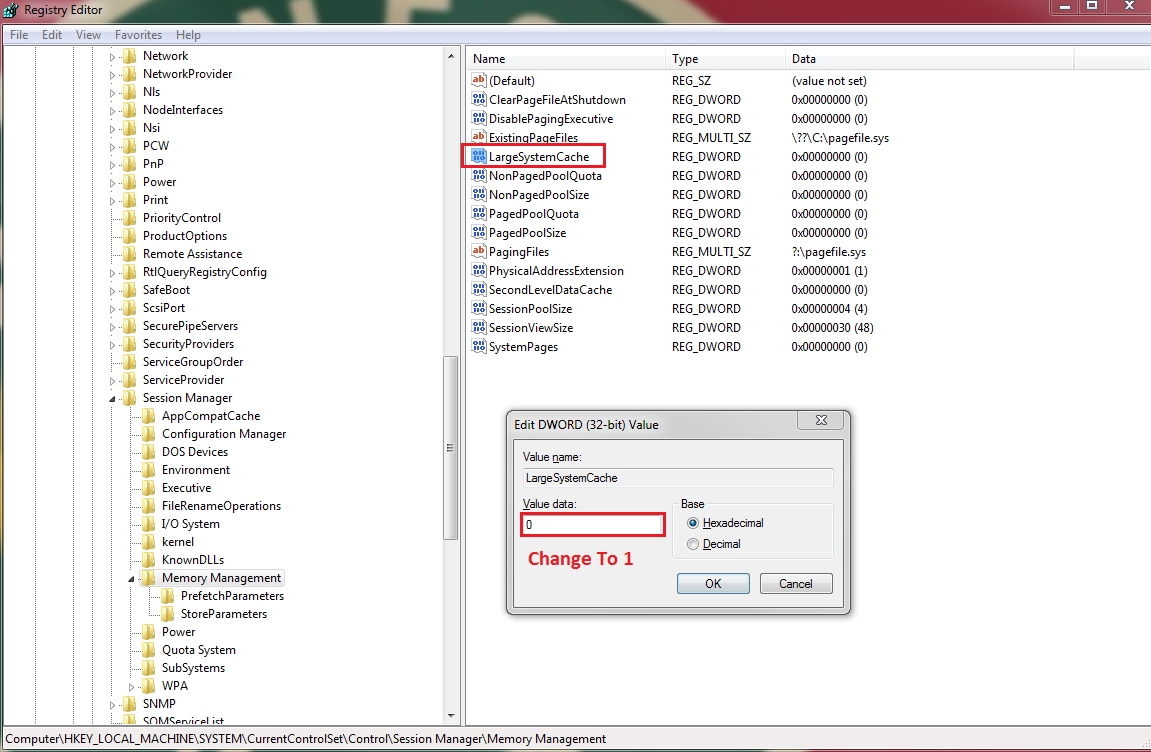
Change to “1”
SYSTEM\CurrentControlSet\Control\Session Manager\Memory Management\LargeSystemCache
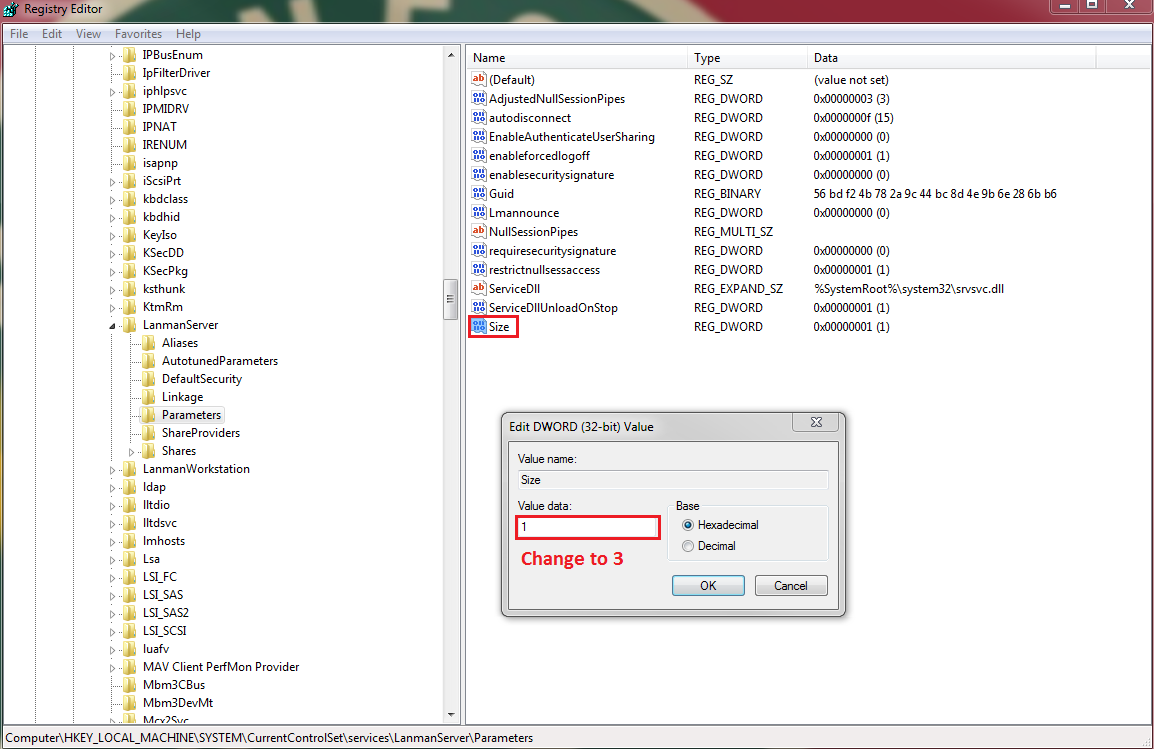
Change to “3”
SYSTEM\CurrentControlSet\Services\LanmanServer\Parameters\Size
5. Restart the server and you should be able to connect your Mac Computer to your SX Server