Changing Windows Administrator password
Legacy Cablecast systems shiped with a default Windows Administrator password. It is best practice to change this password from the factory default. Note, that it is recommended to use the same password for all Cablecast units in your system.
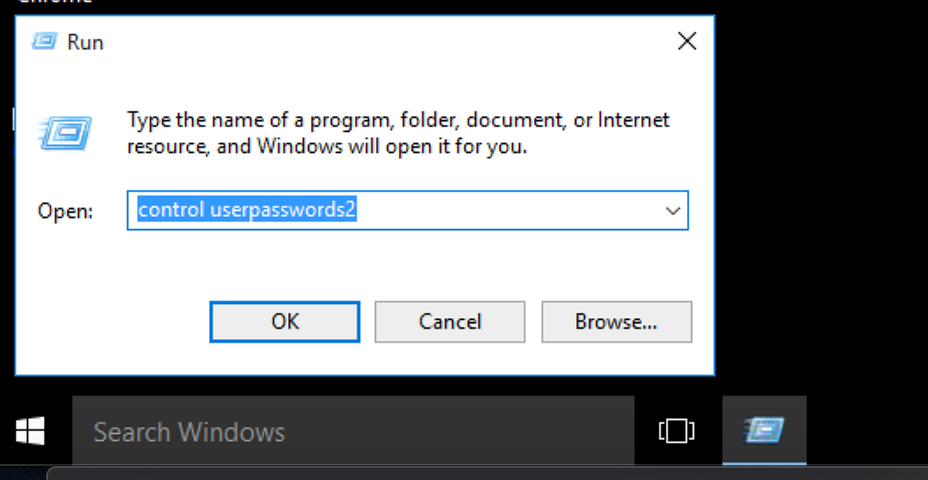
From the Windows desktop open Run dialog box (Windows Key+R key), type "control userpasswords2" and hit enter
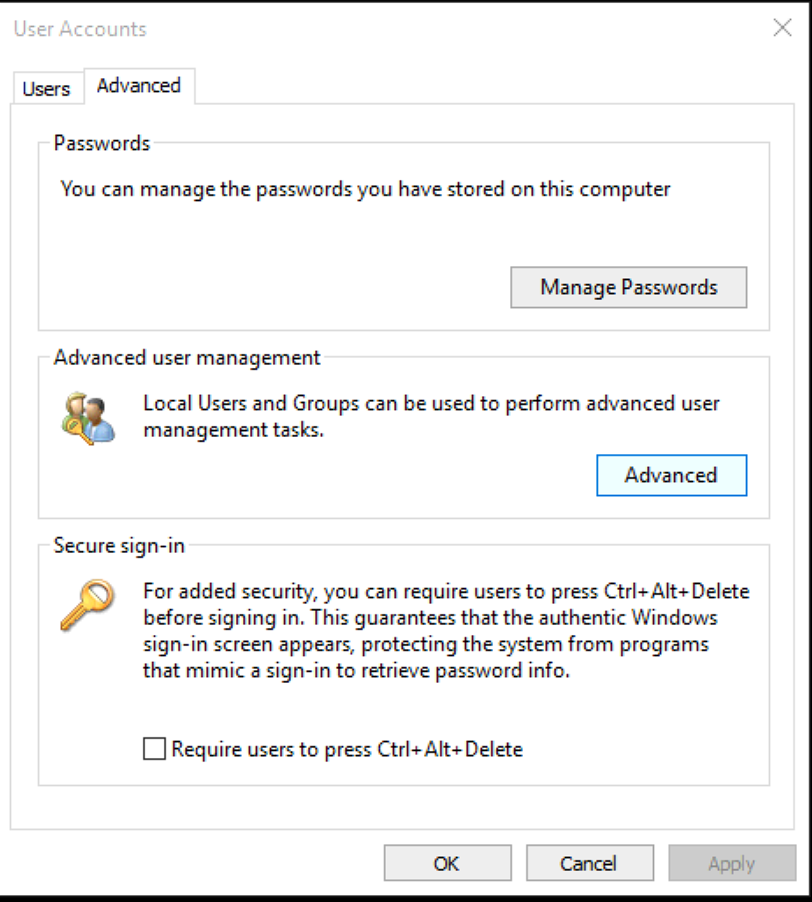
Under Advanced tab, Advanced user management, click Advanced button
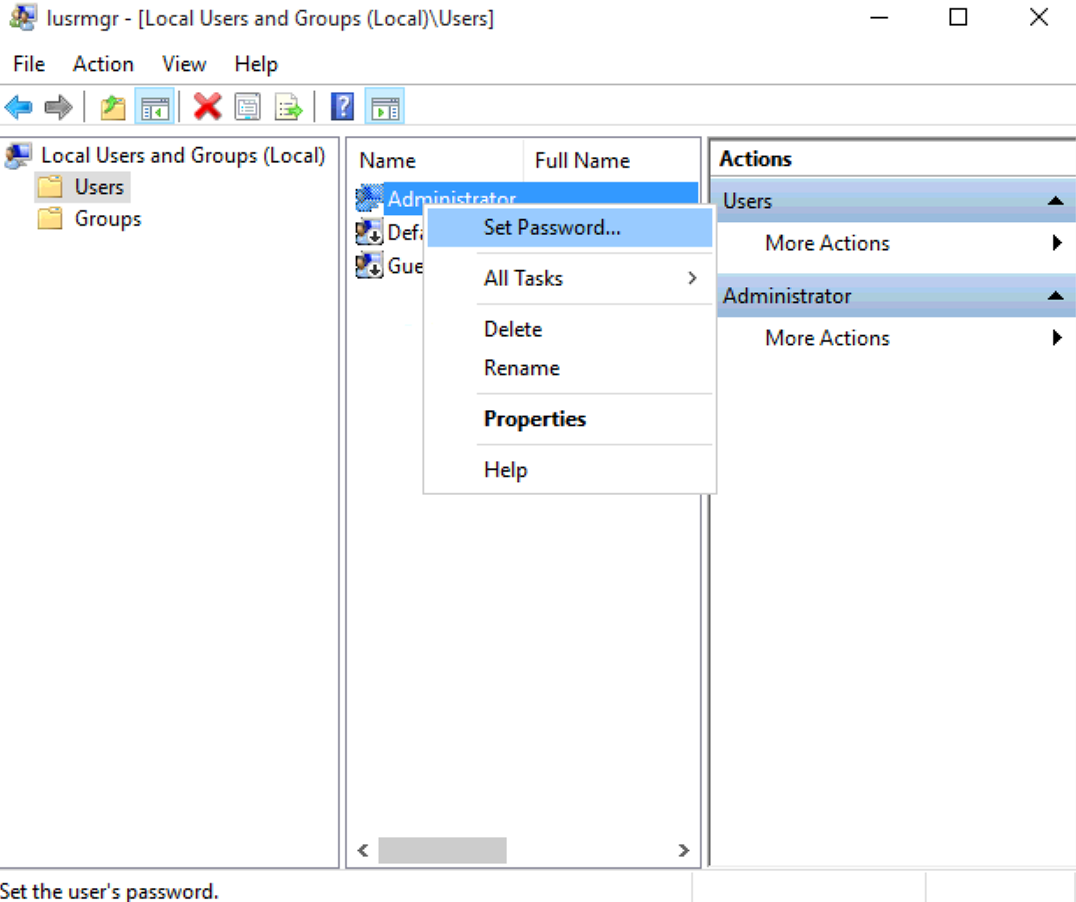
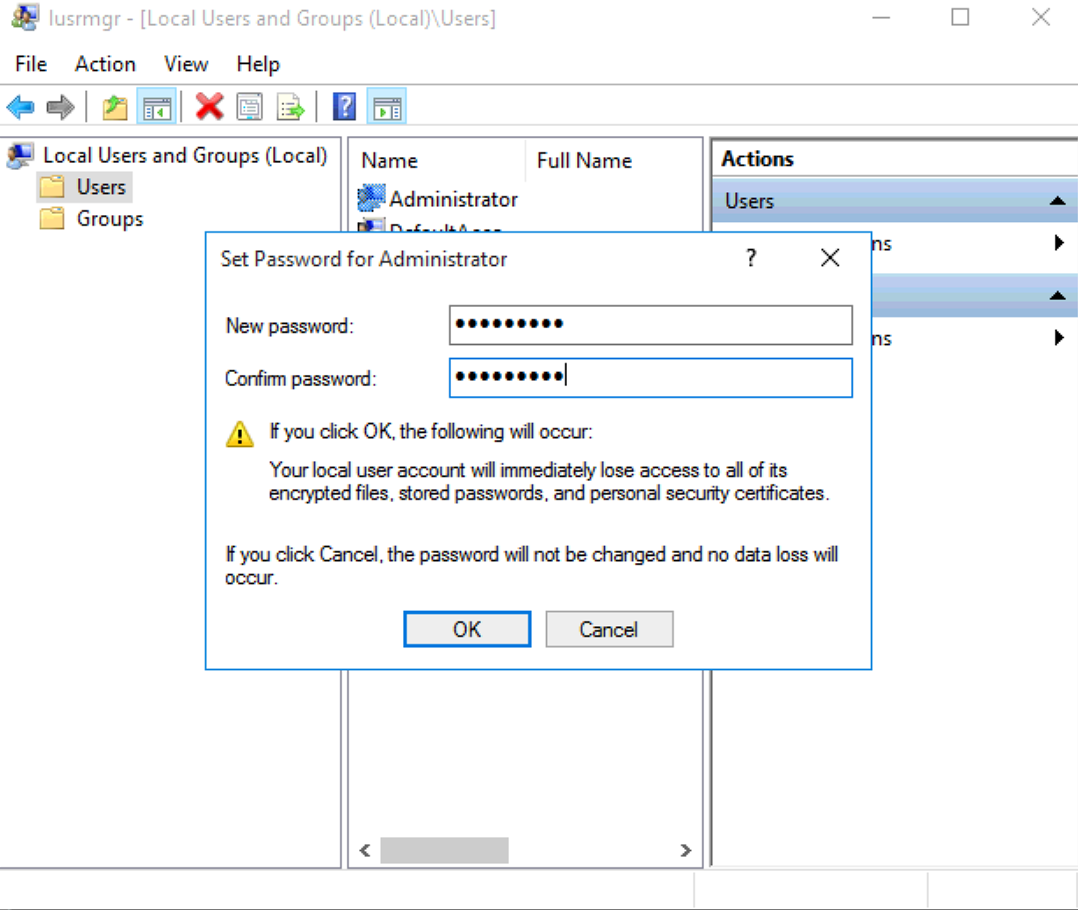
Click Users on the left and right click on Administrator account and select Set Password
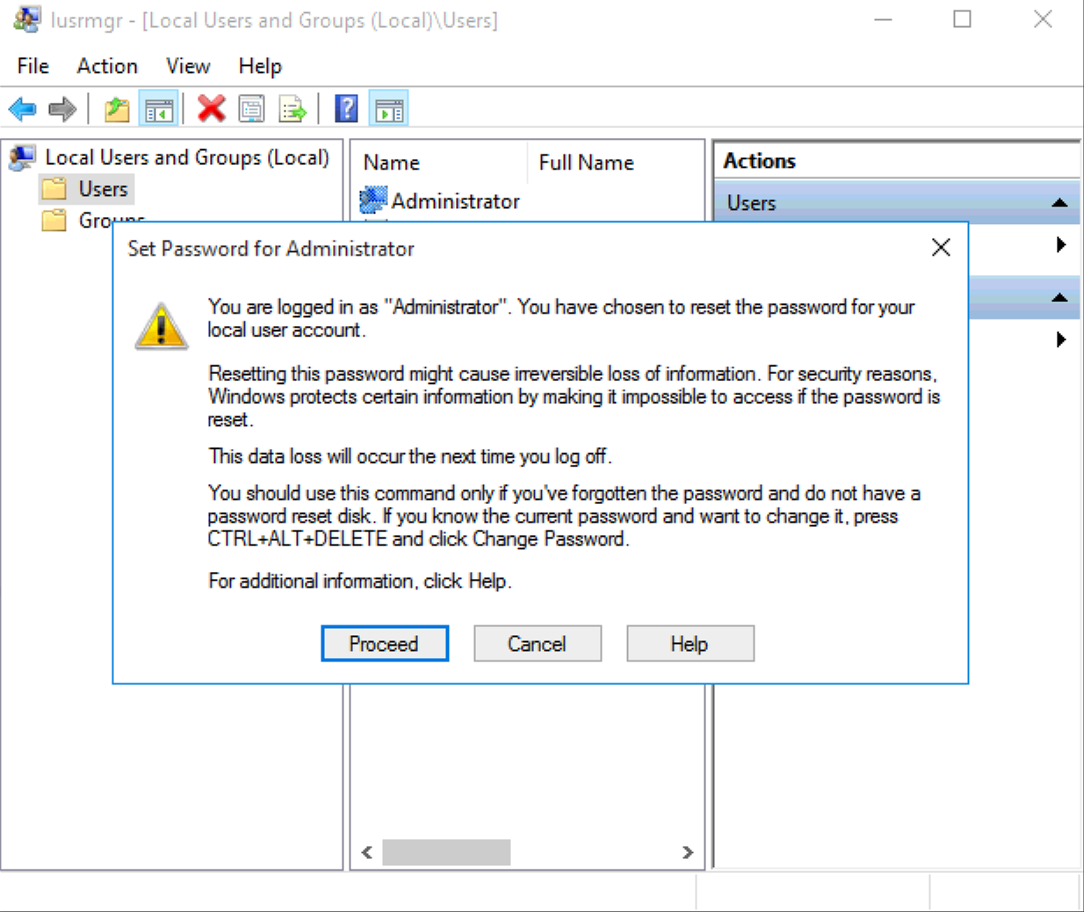
Proceed on the warning screen
Enter new password and click OK
**NOTE** You will need to re-enable the auto login feature in Windows after changing the password.
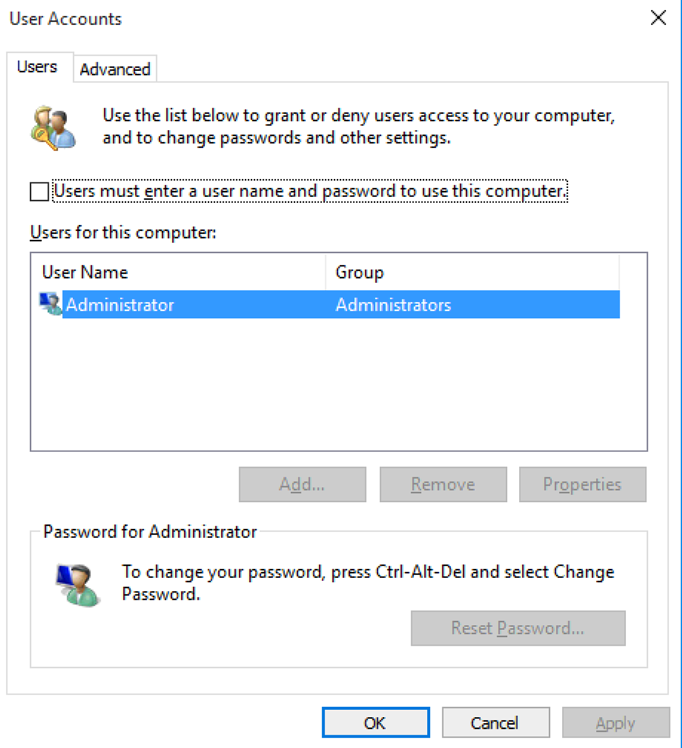
1. Before you exit the user management screen, check the box for "Users must enter and user name and password to use this computer."
2. Hit Apply
3. Un-check "Users must enter a user name and password to use this computer."
4. Hit Apply, which will open up a dialog box where you need to enter the new password and confirm.
Reboot the computer